Specifications 8
| Screen Size | 24 Inch |
|---|---|
| color | Black x Silver |
| Resolution | 2560 x 1440 2K |
| Panel Type | IPS |
| Refresh Rate | 75 Hz |
| Input Connectors | Ethernet RG45 |
| Energy Efficiency Rating | F |
| Body Condition | Used-Very Good Condition, New |
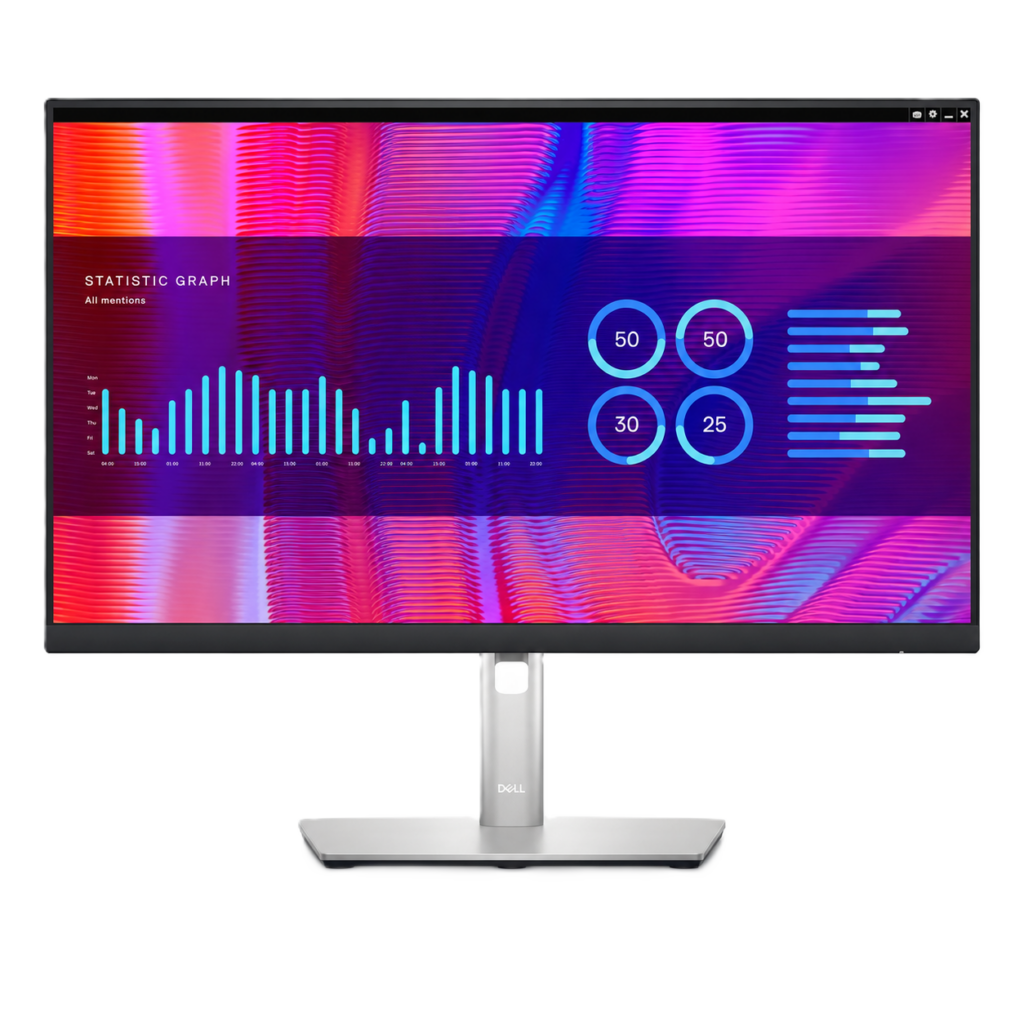
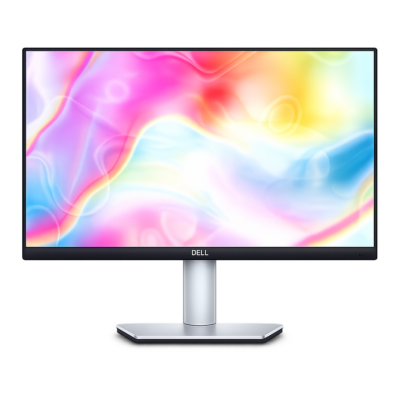
Dell P2423DE 24 Inch
Features
- Dell P2423DE USB-C Hub Monitor
- 23.8-inch QHD IPS Display
- 2560 × 1440 Resolution
- Wide 178° Viewing Angles
- 300-Nit Typical Brightness
- 99% sRGB Colour Coverage
- USB-C Connectivity with Up to 90W Power Delivery
- RJ-45 Gigabit Ethernet & Built-In USB Hub
- HDMI & DisplayPort 1.4 Connectivity
- DisplayPort-Out with Daisy-Chain Support
- Height, Tilt, Swivel & Pivot Adjustments
- Dell ComfortView Plus Technology
- Ultra-Thin Bezel Design
- VESA 100 × 100mm Mounting Support
- Ideal for Office, Programming, Laptop Docking, Multitasking, and Professional Productivity
Product Introduction
The Dell P2423DE is a professional 23.8-inch USB-C hub monitor designed for modern offices, laptop workstations, programming, multitasking, data analysis, studying, and everyday productivity. Its QHD IPS display provides more workspace and sharper image quality than a standard Full HD monitor, while its USB-C docking features help reduce cable clutter.
Key Features
• Dell P2423DE USB-C Hub Monitor
• 23.8-inch IPS display, commonly marketed as 24-inch
• QHD resolution: 2560 × 1440
• 16:9 aspect ratio
• 60Hz refresh rate
• 300-nit typical brightness
• 1000:1 typical contrast ratio
• Wide 178° horizontal and vertical viewing angles
• 5ms response time in Fast Mode
• 8ms response time in Normal Mode
• Supports 16.7 million colours
• 8-bit colour depth
• 99% sRGB colour gamut coverage
• Anti-glare screen surface
• Ultra-thin bezel design suitable for multi-monitor setups
• Dell ComfortView Plus low-blue-light technology
• Flicker-Free technology for improved viewing comfort
• Height-adjustable ergonomic stand
• Tilt, swivel, and pivot adjustment support
• USB-C connectivity with DisplayPort 1.4 Alternate Mode
• USB-C Power Delivery up to 90W
• Supports video, data transfer, network connectivity, and compatible laptop charging through one USB-C cable
• DisplayPort 1.4 input
• DisplayPort output with Multi-Stream Transport support
• HDMI 1.4 input
• RJ-45 Gigabit Ethernet port
• Built-in USB 3.2 Gen 1 hub
• Four USB Type-A downstream ports
• Built-in cable management
• Security lock slot
• VESA 100 × 100mm mounting support
• Suitable for office work, programming, laptop docking, spreadsheets, studying, multitasking, and professional productivity
Condition
This monitor is sold in used condition and has been professionally tested to ensure full functionality.
Each unit may show normal signs of previous use, such as light scratches, minor marks, or cosmetic wear on the screen, frame, stand, or rear casing that do not affect its functionality unless otherwise stated.
Multiple cosmetic and display condition options may be available for this product. Please select the condition that best suits your needs from the available options before purchasing. Product images may include example photos for each condition, along with grading criteria, to help you choose the most suitable option.
Package Includes
• Dell P2423DE Monitor
• Compatible Ergonomic Monitor Stand
• Compatible Power Cable
USB-C, HDMI, DisplayPort, network, USB, and other cables are included only when specifically shown in the product images or mentioned in the selected product option.
Important Note
The Dell P2423DE has an actual viewable display size of 23.8 inches and is commonly marketed as a 24-inch monitor.
Please select the cosmetic and display condition that best suits your needs before purchasing. The screen condition, stand, included cables, and available accessories may vary between individual units.
USB-C charging at up to 90W requires a compatible laptop and a suitable USB-C cable. DisplayPort daisy chaining requires compatible graphics hardware, operating-system support, and the correct cable configuration.
The monitor does not include built-in speakers.
All our refurbished products come with a 12-month warranty covering manufacturing defects. Returns accepted within 14 days, free of charge. Shipping is carbon-neutral via DHL Express.
No reviews yet. Be the first to share your experience.
Write a review
Enter your details and desired price — we'll get back to you.
Hand-picked this week
You might also like
Curated by our refurb team. Every unit has passed our 60-point inspection.
−15%
−15%
−25%
Voxicon VXV755UA 55 Inch 4K UHD Android Smart LED TV
−10%